Vela Link

Designed by Pauram · Designed for iPhone

Two phones.
Two languages.
One room.

You speak yours. They hear theirs. Share one iPhone in Conversation Mode, invite a guest without an account, or use Live Listen when the other person does not have the app. Translation Rescue exposes uncertainty instead of hiding it. Chats, voice, camera, and Glyph stay on this device—not a Vela cloud.

9:41Nearby
Sofia Nearby · Español
I’m on my way.
Estoy en camino.
Te espero en casa.
I’ll wait at home.
Say it in your language
You · English
9:41Nearby
You Nearby · English
I’m on my way.
Estoy en camino.
Te espero en casa.
I’ll wait at home.
Dilo en tu idioma
They · Español

Your first minute

Vela shows you.
Then lets you try.

The first launch is a guided demonstration, not a wall of permissions. See bilingual meaning appear, discover the right tool for the moment, choose your first language pair, and start immediately with the private phrasebook—or install Apple’s optional language packs.

  1. 01
    Understand the promisePrivate, on-device communication across messages, voice, camera, and Glyph.
  2. 02
    Watch meaning appearOriginal speech, detected language, translation, and sensitive-detail review stay visible together.
  3. 03
    Meet every surfaceLive Listen, Camera, Conversation Mode, Glyph, security, and Pauram guidance.
  4. 04
    Choose your languagesStart now or prepare the exact offline packs you need.
YOUR FIRST MINUTE1 of 3

Audio coming throughListening safely on this iPhone

ORIGINAL · ESPAÑOL¿A qué hora sale el tren?
YOUR MEANING · ENGLISHWhat time does the train leave?✓ Time detail ready to confirm

Tap through the same demonstration people receive inside Vela.

Chats

The caption belongs to the reader.

Messages translate on the phone that’s reading them. Phrasebook is local. Neural packs come from Apple Translation, on a real iPhone.

Can you hear me?
¿Me oyes?
Sí. Espera.
Yes. Wait.

Conversation Mode

Two people.
One iPhone.

Each person gets a large language side. Tap your side, speak naturally, and the other side receives the translated meaning. Face-to-face mode turns the far panel around so the phone can sit between you.

  • Clear microphone-flow and confidence feedback.
  • Automatic pause prevents the translated voice from feeding back into the microphone.
  • Names, numbers, negation, times, and medical details are called out for confirmation.
  • Audio is not saved or sent to another device.
¿Dónde está la estación?
Where is the station?
Two blocks ahead.
A dos cuadras.

Live Listen

They do not need
the app.

Tap the ear at the top and let one iPhone listen. Vela identifies the likely language, keeps the original beside the translated meaning, and can speak each completed translation through AirPods or another selected audio output. If full translation needs an Apple language pack, Vela offers the exact pack — or Download All.

  • AirPods and compatible Bluetooth earbuds provide private translated playback with visible route status.
  • Earbud controls pause or resume listening and repeat the latest translation.
  • A live Mic Check meter confirms audio and sound are actually coming through.
  • Adjustable full-screen captions support right-to-left languages and honest manual speaker tags.
  • Calls, Siri, backgrounding, and audio-route changes pause safely and recover automatically.
  • Sensitive numbers, dates, prices, addresses, names, negation, and medical details can require confirmation before speech.
  • Ephemeral sessions erase captions when finished; microphone audio is never added to a chat.
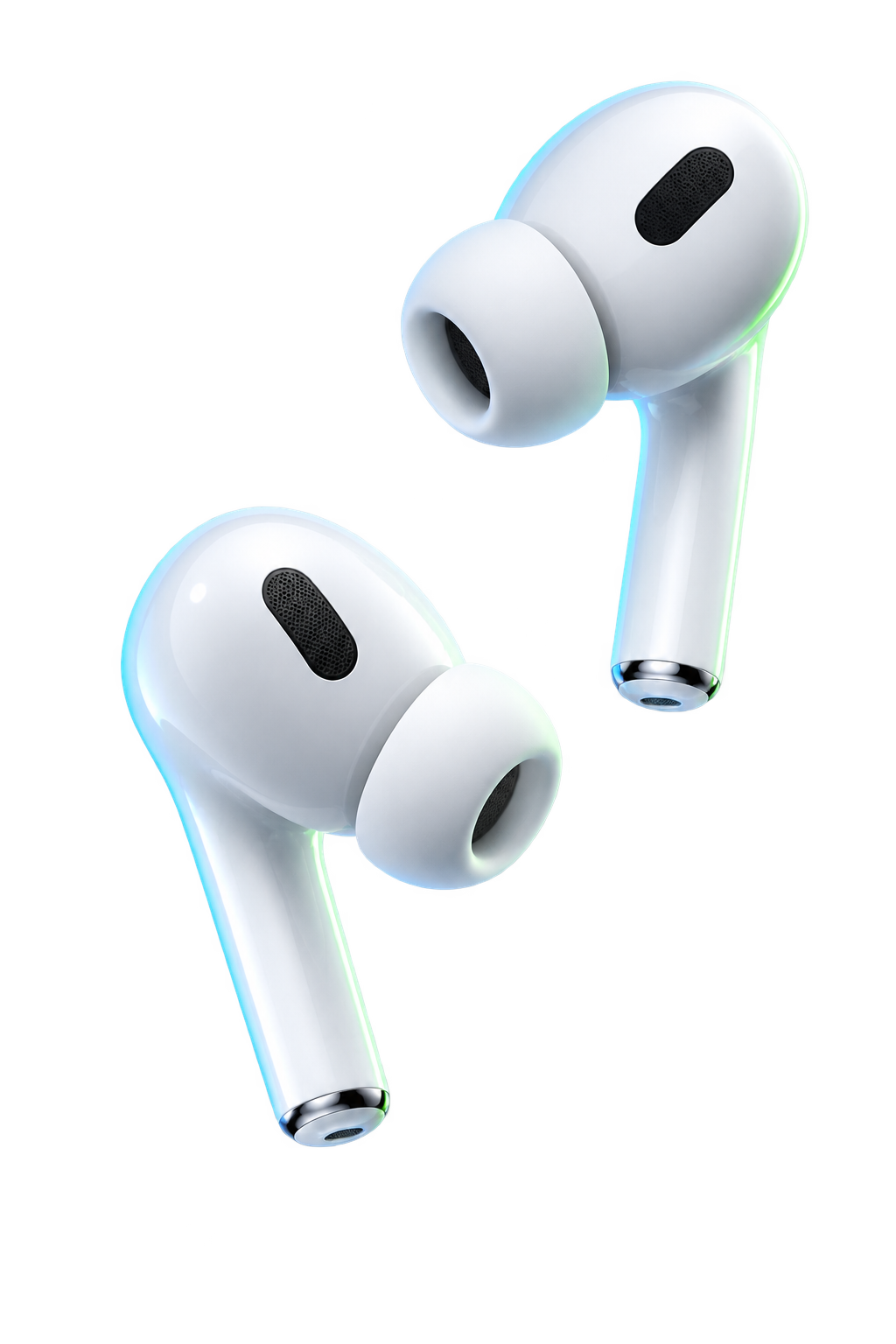
A floating pair of premium white wireless earbuds for private translated playback
Private outputAirPods selected
LIVE BILINGUAL CAPTIONS ¿A qué hora sale el tren? What time does the train leave?
Safety review readyNumbers · time · medical details

Nearby Walkie & Push to Talk

Five nearby groups.
Instant voice translation.

Switch between 5 groups on Vela’s nearby Bluetooth and Wi-Fi mesh (Squad, Rescue, Secure Ops, Base Camp, and Emergency) with Roger Beep audio feedback. Walkie reaches nearby Vela users only — not real radio channels or emergency services. Powered by Neural DSP voice isolation, whisper mic boost, and a 5-second instant replay buffer, teams communicate seamlessly across languages even in high-noise or zero-connectivity environments.

  • 5 nearby mesh groups with 1-tap switching.
  • Simultaneous bilingual voice translation directly through AirPods and speaker.
  • Roger Beep and Squelch audio synthesis for tactical mic key up/down feedback.
  • Neural DSP real-time background noise, wind, and ambient cancellation.
  • Instant 5-Second Replay Buffer to immediately repeat missed transmissions.
CH-1 · SQUAD (nearby mesh)
HOLD TO TALK
Roger Beep & Neural DSP Active Sofia hears Spanish · Replay 5s Ready

Camera

Point at the world.
Read it in yours.

Live mode tracks text while the phone moves, automatically proposes the likely language, and keeps the original beside the translation. Pause for a steadier read, take a photo for detailed review, or scan a Glyph QR invitation. The image never leaves this phone.

  • Live, paused-frame, and photo translation for different real-world conditions.
  • Language confidence stays visible; low-confidence results ask for another angle.
  • Tracking stabilizes recognized regions instead of flashing a new result every frame.
  • Camera Vision 100 measures speed and reliability without claiming physical-device certification.
MENÚ DEL DÍA Menu of the day

Glyph Circles

A private language.
A separate seal.

Invent a circle language. Invite nearby. Face ID to reveal meaning. Glyphs are not encryption — ChaCha20‑Poly1305 is.

Private Glyph Pack ◆ △ ↕ ≠ ▷ ☆ Hold to reveal

3D Spatial UWB Radar

Point toward
the person you’re looking for.

On iPhones with Ultra Wideband, Vela shows distance and direction to a connected contact nearby. Without Ultra Wideband it falls back to a rough Bluetooth signal estimate.

  • Distance and direction from Apple’s Nearby Interaction.
  • Works on iPhones with Ultra Wideband, with both people connected in Vela.
Sofia Alvarez 4.2m · 28° North-East

Emergency SOS

One tap to emergency services.
With your real location.

Emergency SOS gets your GPS fix and opens a call or text to your local emergency number. Vela can’t reach satellites itself: on iPhone 14 or later, if there’s no cellular or Wi-Fi signal, iOS offers Emergency SOS via satellite when you call or text emergency services, in supported countries. Vela never marks an SOS as delivered — only the emergency service can confirm help is coming.

  • Calls your region’s emergency number (911, 112, 999, 000 and more).
  • Text-to-911 with your details where it’s supported in the US.
  • Copy or share a plain-language summary with GPS and a map link.
  • Optionally alerts nearby connected Vela users over the mesh.
EMERGENCY SOS Call 911 GPS 46.85000, -121.76000 · ±12 m
Vela opens your phone’s emergency call. Vela can’t confirm the call went through.

Encryption

End-to-end encrypted chats.
A post-quantum lab.

Chats, calls, and walkie use end-to-end encryption with a signed key exchange and ChaCha20-Poly1305, with keys kept in the iPhone Keychain and Secure Enclave. The Encryption Lab lets you test a hybrid post-quantum envelope — X25519 plus NIST ML-KEM-1024 (iOS 26 or later) — that isn’t used for chats yet. Vela relies on Apple CryptoKit and holds no FIPS 140-3 validation or CNSA 2.0 certification of its own.

  • End-to-end encrypted chats with verifiable safety numbers.
  • Hybrid X25519 + ML-KEM-1024 envelope in the Encryption Lab.
  • AES-256-GCM inside ChaCha20-Poly1305, with length-hiding padding.
  • Replay and flood protection on the nearby mesh.
ENCRYPTION LAB X25519 + ML-KEM-1024 AES-256-GCM inside ChaCha20-Poly1305
🛡️ ZERO-TRUST INTRUSION GUARD
[SEC-OK] Epoch 45s active. 0 threats detected.

Off-Grid Safety & Disaster HUD

Alert the people near you.
Even without cell service.

When natural disasters strike or squads operate in hazardous terrain, Vela Link alerts nearby connected Vela users over the mesh. These alerts don’t reach emergency services — use Emergency SOS for that. Hardware barometer squall detectors, Dead-Man's safety return countdowns, 1-tap Earthquakes/Wildfire broadcasts, and step-by-step offline triage guides coordinate survival without cellular towers or internet.

  • 1-Tap Disaster Broadcast: Earthquake, Wildfire, Flash Flood, Tsunami, Hazmat, Mass Casualty.
  • Critical Audio Tone: Bypasses Silent / Do Not Disturb with dual-frequency pulsing alert tone.
  • Hardware Barometer Squall Warning: Detects rapid pressure drops (>2.5 hPa/hr) before severe storms hit.
  • Dead-Man’s Safety Timer: alerts nearby Vela users if you miss your check-in.
  • Offline Triage & Survival Protocols: Built-in checklists for immediate trauma and structural emergencies.
  • Your real GPS fix is attached when available — never a placeholder.
⚠️ STANDBY SENTINEL Zero Active Hazards Barometer: 1013.2 hPa · Nearby mesh ready
1-TAP DISASTER SOS SIMULATOR
📋 OFFLINE SURVIVAL PROTOCOL
  1. DROP, COVER, and HOLD ON under load-bearing structures.
  2. Avoid elevators, glass facades, and unreinforced masonry.
  3. Turn off gas mains if odor is detected; move to open LZ.

Elite Field Kit

Prepared before
the moment matters.

Guest QR entry, Earbuds Interpreter, low-confidence Translation Rescue, offline trip preflight, full-screen Guest Display, private translation memory, consent-gated bilingual PDF export, Trust Center, and content-free performance evidence live in one place.

  • No account is required for a Vela guest invitation.
  • Rescue mode keeps the original visible and flags numbers, time, negation, and medical details.
  • Conversation exports require an explicit consent switch and never happen automatically.
  • Physical iPhone certification remains required for radios, microphones, cameras, AirPods, battery, and thermal behavior.
  • The automated communication matrix covers 30 languages and 1,000 deterministic scenarios before physical sign-off.
FIELD READY
Low confidence · Number · Time
Keep the original visible
Ask them to repeat slowly
Guest QR · Offline pack · Trust check

Pauram Intelligence

On this silicon.
Not a cloud brain.

Pauram Intelligence 1.3 understands every Vela surface, including private earbud routing, ephemeral Live Listen, full-screen captions, visual intelligence, safety review, interruption recovery, offline readiness, and the 30-language software matrix. It can explain the one-phone flow, return you to an active session, and guide you to the exact missing language pack. Its Control Center shows model integrity, signed-pack trust, local evidence, security signals, benchmarks, and private-learning controls. It works from signals Vela already has—never a cloud copy of your conversation.


ON THIS DEVICE Heard Español Pauram · language identity
Next move Open Live Listen · Spanish pack ready

Not a translator. Not the cloud.

Apple, through and through

Built on the silicon you already carry.

Private by design

Your meaning stays
under your control.

Face ID

Locks chats, walkie history, Glyph meaning, and circle memory.

Translation

Local phrasebook. Neural packs from Apple. Live Listen offers the exact missing pack or Download All, while ephemeral sessions can erase captions when finished. No Vela cloud.

Keys

Identity and circle keys stay here. Optional iCloud vault opens only with them.

Pauram

On-device intelligence. Not a medical or legal advisor. Not a cloud translator. Learning from “that’s not what I meant” stays on this phone if you opt in.

Reliability

Content-free latency, recovery, route, and thermal measurements stay on this iPhone. The software matrix covers 30 languages and 1,000 scenarios; real AirPods and radio behavior still require physical-device sign-off.

Not this product

Internet calling. Cloud translation. A mesh bigger than the phones in the room. Tracking or ads.

Vela Link vela link

Designed by Pauram

Coming to the App Store for iPhone, with Mac and Apple Watch beside it.

Coming soon